Elsevier graphical abstract guidelines
Prepare an Elsevier graphical abstract with a clear reading path, restrained text, and the correct working dimensions. This independent summary covers general Elsevier guidance, but the journal's own Guide for Authors remains the final authority.
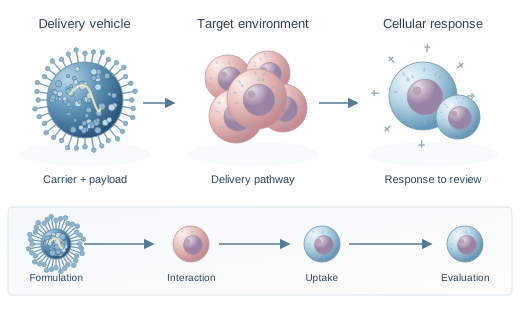
Check the journal first. Publisher guidance is only the baseline.
Start with the journal's own instructions
Elsevier describes a graphical abstract as an original image that summarizes an article in a concise, pictorial form. An Elsevier graphical abstract is generally submitted as a separate file and is designed for browsing in ScienceDirect lists and article pages.
Requirements can vary by journal and article type. Before designing an Elsevier graphical abstract, open the target journal's Guide for Authors and confirm whether the item is required or optional, which files are accepted, and whether a caption or separate legend is needed.
Elsevier graphical abstract specifications
The official general Elsevier graphical abstract page lists the baseline below. A specific journal may publish different or additional requirements, so record the journal name and access date before final export.
| Item | General Elsevier guidance |
|---|---|
| Minimum image size | 1328 x 531 pixels (width x height) |
| Larger images | Maintain the same 500:200 proportion |
| Minimum resolution | 300 dpi |
| Suggested fonts | Times, Arial, Courier, or Symbol at a readable size |
| Preferred files | TIFF, EPS, PDF, or Microsoft Office files |
| Text treatment | Keep labels inside the image; do not add a separate heading, outline, or synopsis unless the journal requests one |
Preferred file types
Source checked September 9, 2026: Elsevier graphical abstract instructions
Check the AI policy before creating submission artwork
Elsevier's current journal policy says general-purpose generative AI image tools must not be used to create graphical abstracts. It directs authors toward dedicated scientific illustration or professional illustration tools with suitable licensing terms.
For an Elsevier graphical abstract created with a permitted dedicated tool, authors remain responsible for accuracy, originality, rights, and disclosure. Elsevier states that the tool used should be mentioned in the image caption, and journal-specific rules may add further requirements.
Read Elsevier's current generative AI policyUse this site's visual output for planning and internal concept review unless the target journal confirms that the tool and workflow comply with its current policy.
Elsevier graphical abstract checklist
Use this checklist after reading the target journal's instructions. It captures the recurring checks for an Elsevier graphical abstract without assuming every Elsevier journal follows identical rules.
Move from Elsevier graphical abstract requirements to a controlled draft
Choose a layout that fits the paper, study relevant structural examples, and keep the official journal requirements beside the draft throughout revision.
Draft an Elsevier graphical abstract concept
Use the maker for internal planning, then verify the tool, content, and export against the target journal's current policy.
Plan a concept draft